The 7-Day Excel Challenge That 700+ Professionals Used to Work 10x Faster
Just 15–20 minutes a day. 7 days. 40+ Excel functions mastered — with practice files, homework assignments, and my personal support every step of the way.
GET INSTANT ACCESS — $97⚡ Instant access • 🔒 Secure checkout • ↩️ 30-day money-back guarantee

Does this sound familiar?
- You spend 30+ minutes figuring out which formula to use — every single time
- You Google the same functions over and over and still feel confused
- You feel behind at work while others seem to know Excel effortlessly
- Your data is a mess and you don't know how to clean it up fast
- You're afraid of failing an Excel test at your next job interview
- You've watched YouTube tutorials but nothing actually sticks
If you nodded at even one of these — this course was built for you.
This course will give you
Work 10x faster
Replace manual calculations with formulas like =SUMIFS() and =XLOOKUP() — and watch hours of work shrink into minutes.
Independence & confidence
Say goodbye to asking co-workers for help. Know exactly which function to use, and why.
Career growth
Become the Excel go-to person on your team — a skill that stands out in interviews, reviews, and promotions.
Efficiency on any task
From simple sums to multi-condition lookups — handle any problem with the right formula, fast.
How the training works
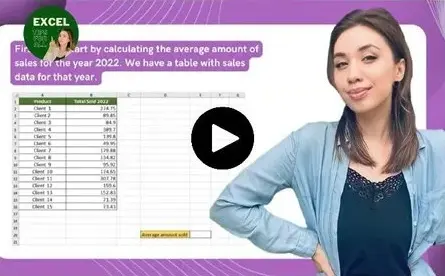
Video lessons
Short pre-recorded videos — watch anytime, at your own pace.

Practice files
Apply every function immediately in real spreadsheets.
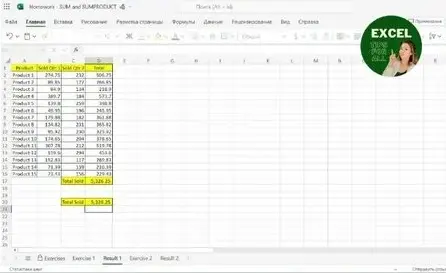
Homework + solutions
Practical assignments after each lesson so the skills stick.

Certificate
Finish the assignments and receive a course certificate.
Your 7-day roadmap
In just 7 days, you'll master the 40+ Excel functions every professional actually needs.
Who this is for
- Finance professionals, analysts, accountants and business pros who use Excel daily
- Anyone who knows "a bit" of Excel but isn't fast or confident yet
- People prepping for a job interview or an Excel test
- Beginners AND intermediate users — lessons go from easy to advanced
Farizat Tabora
- Microsoft MVP
- Excel expert with 10+ years' experience
- Educating 2M+ people on Instagram
- 700+ students
My goal is your success. You're not alone on this journey — I'm here for each of you, supporting you every step of the way.
What students say
"I used to spend over two hours preparing monthly expenditure summaries. After learning INDEX-MATCH, SUMIFS and dynamic ranges, I now do the same work in under 40 minutes — with more accuracy and less stress."
"Before the challenge, pivot tables confused me. Now I build them confidently on my own. A report that used to take me 2.5 hours now takes 45 minutes — and I've started automating other reports too."
"I use Excel every day. There were functions I didn't know before like SUMPRODUCT, that I now use. DATEDIF plus WORKDAY are very useful for budgeting the stores correctly."
Join today and get these free bonuses 🎁
- 🃏 Excel Functions Flashcards — 40+ functions on quick cheat cards$49 value
- 🃏 Excel Shortcuts Flashcards — shortcuts that save you hours$49 value
- 📚 Step-by-Step Guidebook — downloadable workbook to reference anytime$67 value
- 📂 Practice Files — real files to apply every function as you learnincluded
- 📆 Lifetime Access — start whenever, revisit any lesson foreverincluded
- 💬 My Personal Support — ask your Excel questions and get answersincluded
Get instant access today
One simple price. Everything included. No subscriptions, no hidden fees.
- 7-Day Excel Challenge — 40+ functions
- Practice files for every lesson
- Homework assignments + solutions
- Excel Functions Flashcards ($49 value)
- Excel Shortcuts Flashcards ($49 value)
- Step-by-Step Guidebook ($67 value)
- My personal support
- Lifetime access to everything
⚡ Instant access 🔒 Secure checkout ↩️ 30-day guarantee
Want even more? Get the Complete Bundle
Add my Pivot Tables Masterclass + Dashboard Templates Pack to the 7-Day Challenge and become the Excel go-to person on your team.
Try it 100% risk-free
Go through the challenge. If you don't feel more confident and faster in Excel within 30 days, just email me and I'll refund every cent — no questions asked. All the risk is on me.
Frequently asked questions
I'm a complete beginner — is this for me?
Yes. Lessons start from the basics and build up step by step. As long as you can open Excel, you can follow along.
How much time do I need each day?
Just 15–20 minutes a day for 7 days. The lessons are short, focused and easy to fit around work.
Do I need a specific version of Excel?
Most functions work in any modern version. A few newer ones (like XLOOKUP, TEXTSPLIT) need Microsoft 365 — I'll always show classic alternatives too.
How long do I have access?
Lifetime access. Start whenever you want and revisit any lesson as many times as you like.
What if it's not for me?
You're covered by a 30-day money-back guarantee. If you're not happy, email me and I'll refund you fully.
7 days from now, you could be the Excel pro on your team
Or you could still be Googling the same formulas. Join 700+ professionals who chose to get faster, more confident, and more valued at work.
GET INSTANT ACCESS — $97⚡ Instant access • Lifetime access • 30-day money-back guarantee
